AX Softphone
The softphone is a core component of the Agent Experience desktop, giving agents full voice call control without ever leaving the application. Designed to work across different integration models, it needed to present a consistent, intuitive interface regardless of the underlying technology.
Challenge
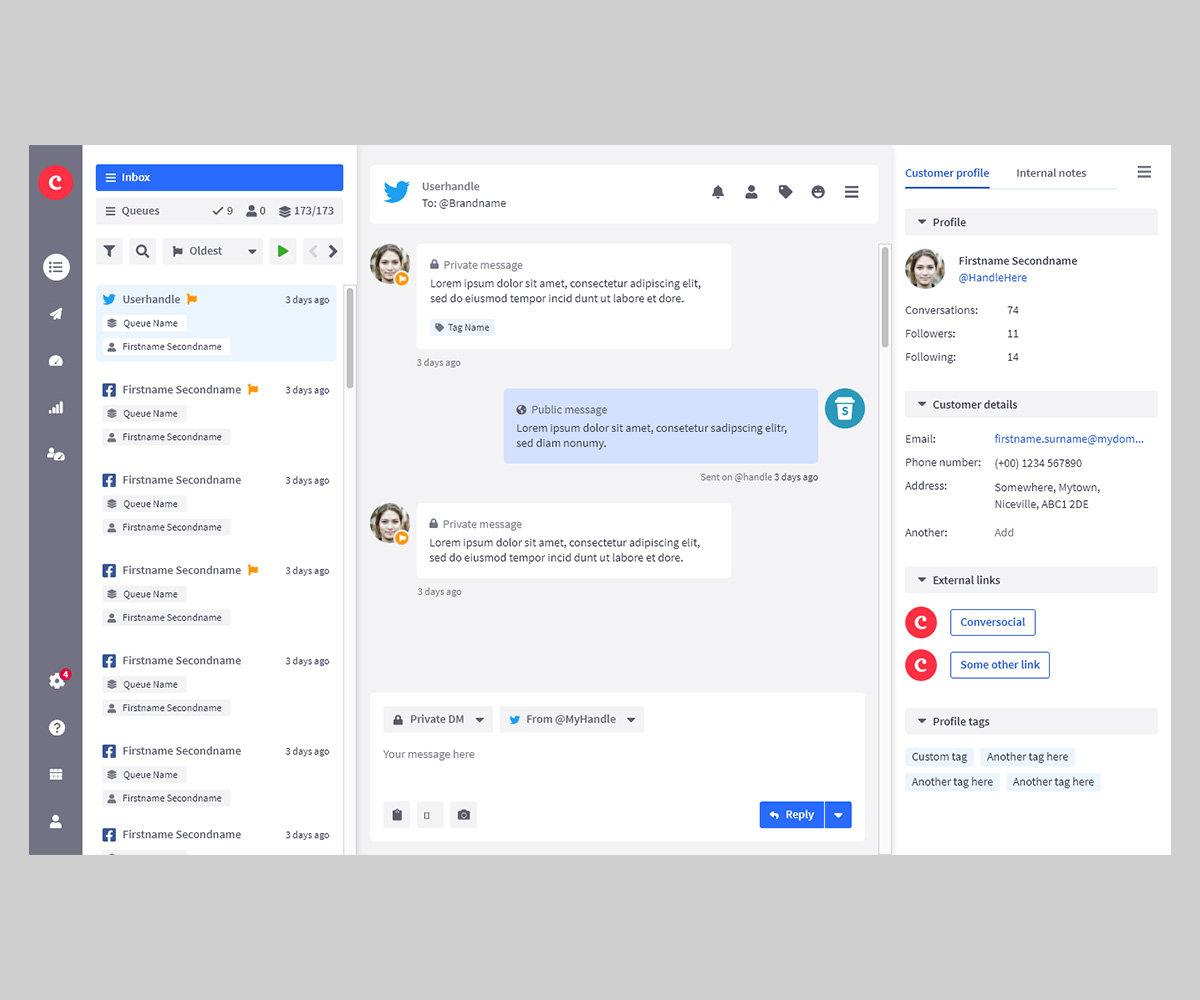
A softphone embedded in a contact centre desktop sounds straightforward on paper, but the design complexity runs deep. The component needed to remain persistently accessible at all times – even mid-conversation, while an agent is simultaneously handling customer data in the main workspace – without dominating the interface or obscuring other content.
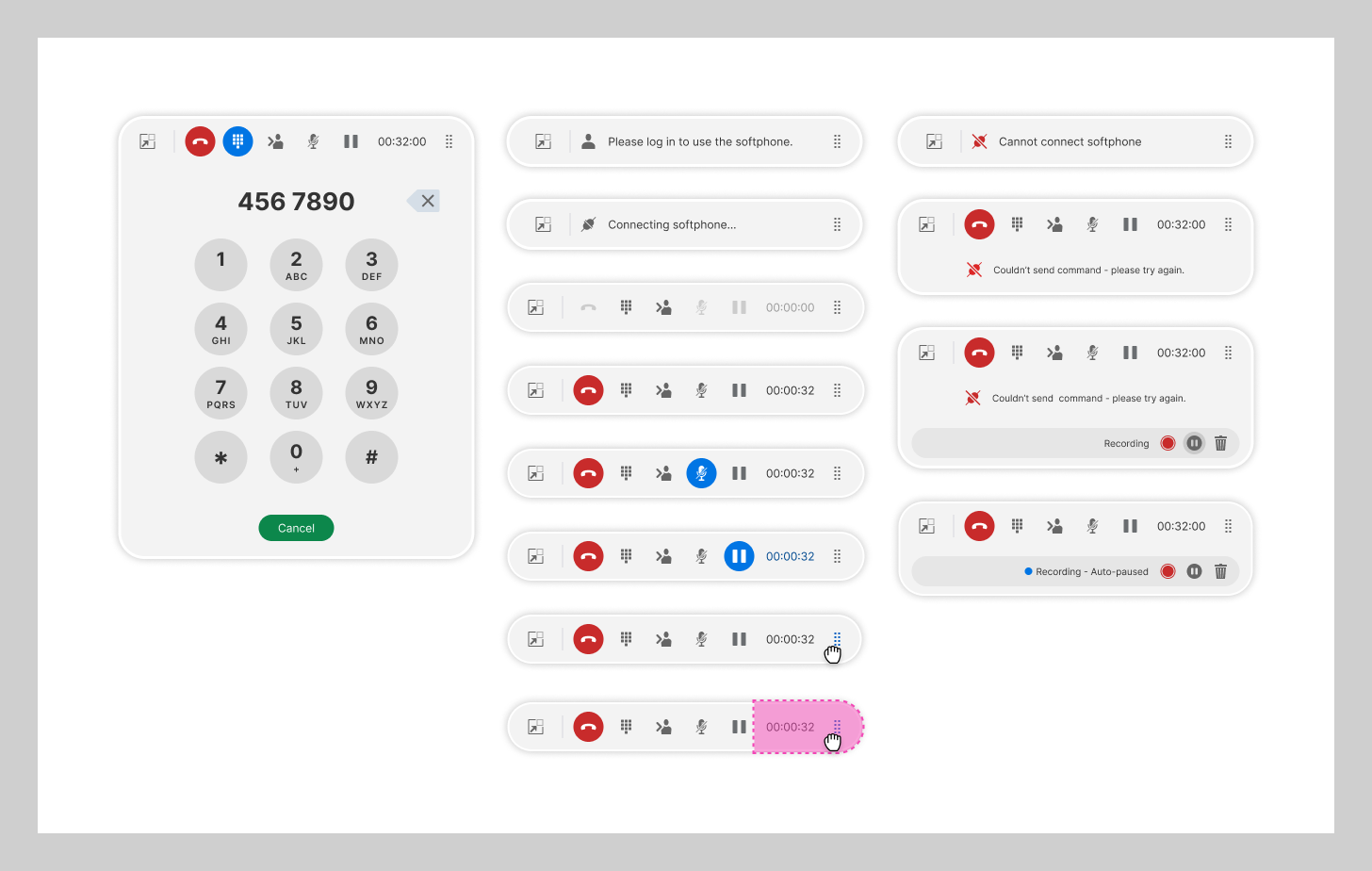
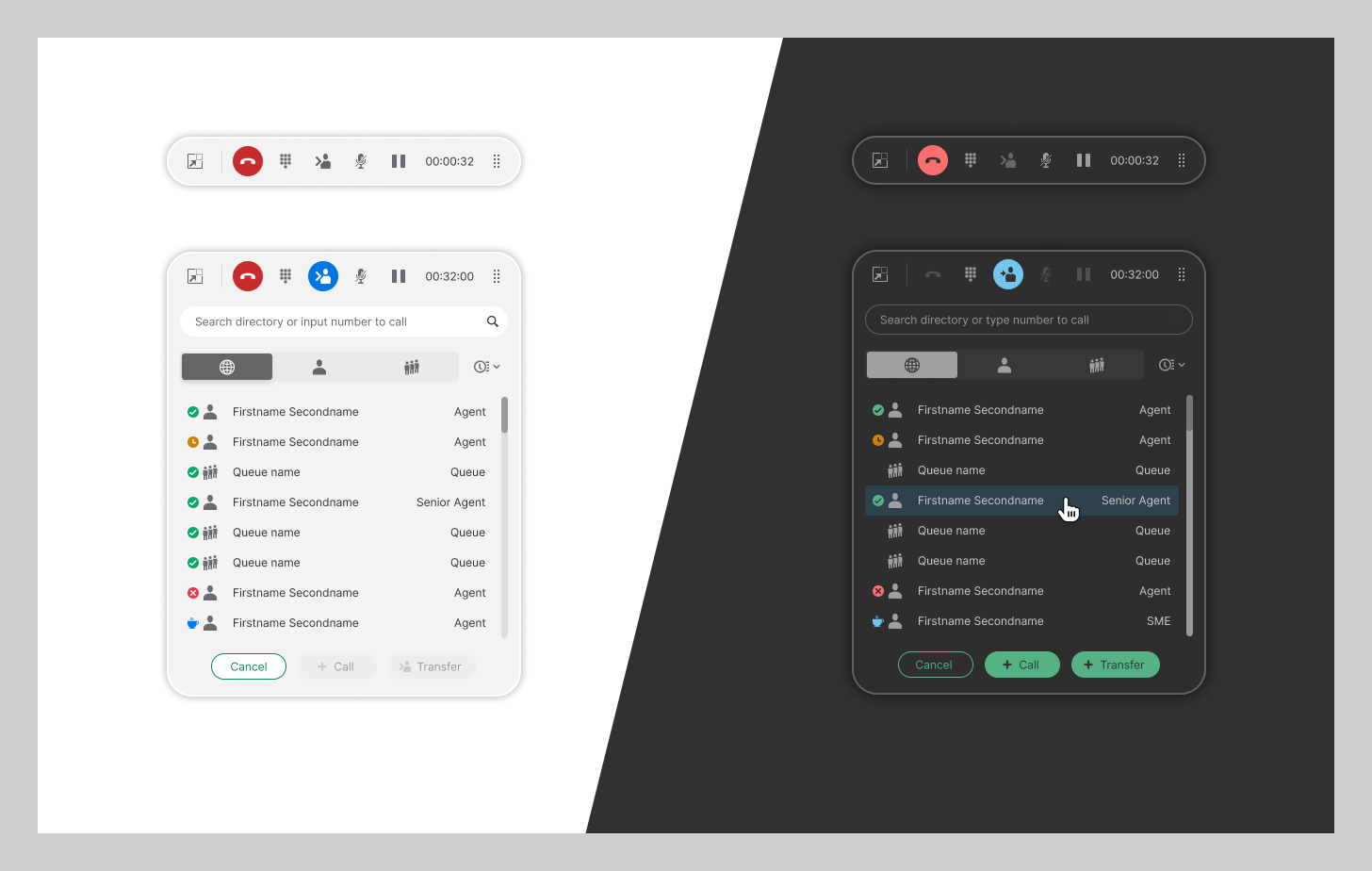
Beyond the core call controls, the component had to gracefully handle a wide range of scenarios: transferring calls blind or consultatively, conferencing multiple parties, sending DTMF tones, managing hold states, and surfacing connection or recording status to the agent at a glance. Each of these states needed to feel considered rather than bolted on, and the overall component had to remain coherent across both light and dark themes.
Solution
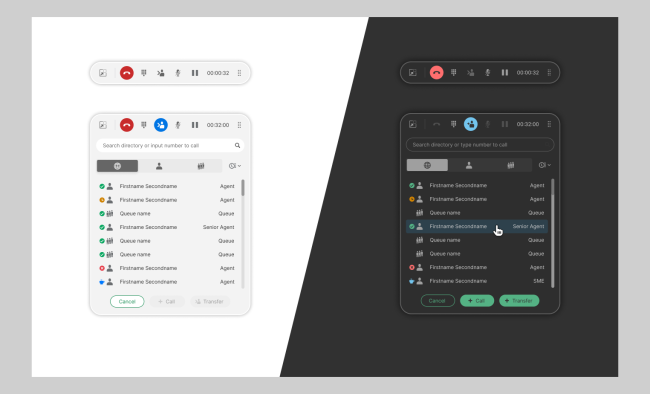
The softphone was designed around a two-state model. A compact, persistent control bar sits anchored at the top of the workspace at all times, showing essential call status – end call, dialpad, transfer, mute, hold, and a running call timer – so agents always have eyes on their call without interrupting their workflow. When additional functionality is needed, an expanded panel drops down from the bar, keeping the interaction model predictable and the screen real estate impact minimal.
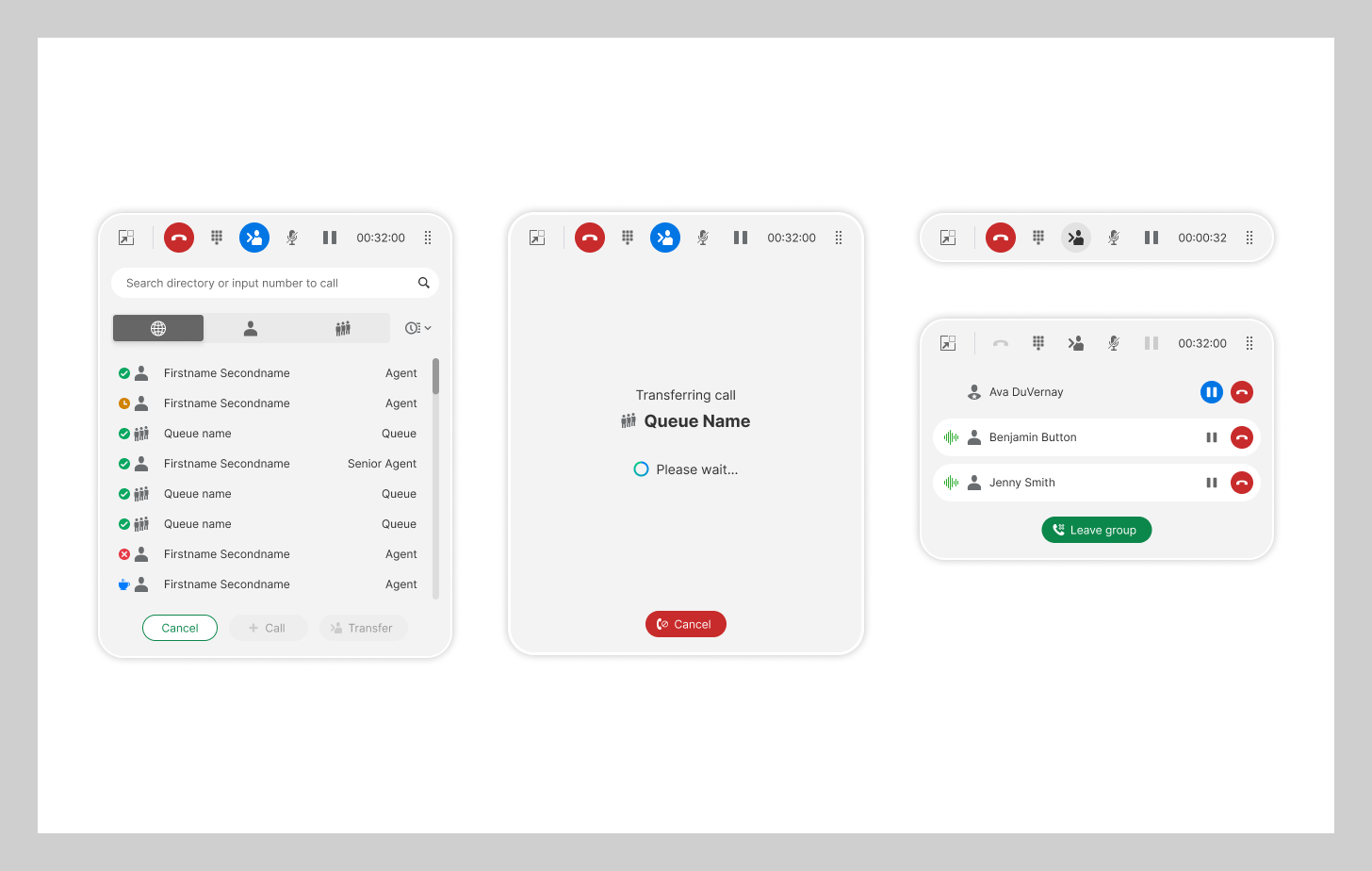
The directory and transfer panel (visible in the expanded state) allows agents to search for colleagues or queues, view availability status at a glance, and initiate calls or transfers directly.
The conference view takes a similarly focused approach – listing active participants with individual hold and disconnect controls, and a clear action to leave the group call – keeping what could easily become a complex multi-party interface feeling manageable.
Result
The softphone component demonstrates that a high level of functional complexity doesn’t have to come at the cost of clarity. By anchoring the persistent bar, keeping the expanded panel focused, and designing each state with the same level of care as the primary use case, the result is a component that agents can rely on instinctively – even under the pressure of a live customer call.
As with other components developed for Agent Experience, the softphone contributed to the broader design system, establishing patterns for persistent toolbars, status indication, and multi-state component design that carry value beyond this product alone.